 Snaptube
Snaptube
Download SnaptubeWelcome to Snaptube official website. Snaptube is the best app to download videos and music fast and free. You can even save videos as MP3 audio. With Snaptube, you can easily download your favorite content from various platforms and watch it offline, without the need for mobile data or WiFi. Snaptube's user-friendly interface makes searching and downloading content a breeze, and you can select the video quality and audio format before downloading. Additionally, Snaptube has a built-in video player that enables you to watch downloaded content directly within the app.
| App Name | Snaptube |
| Package Name | tube_snaptubeonline |
| License | Free |
| Category | Video and Music Downloader |
| Downloads | 10 billion + |
Snaptube Online vs Snaptube APK Android
Snaptube Online and Snaptube Android APK are two different ways to use Snaptube:
Snaptube Online
- Web-based: Snaptube Online is an online platform that can be accessed through a web browser on a computer or mobile device.
- No installation required: You don’t need to install any app to use Snaptube online site; you can use it directly from your browser.
- Platform compatibility: Snaptube Online can be used on a variety of devices with web browsers, not limited to Android.
- Limited functionality: Compared to the Android app, the functionality offered by Snaptube online are limited and mainly focused on online video downloading.

Snaptube Android
- Mobile App: Snaptube Android is a mobile app that you can install on your Android device by downloading the Snaptube APK.
- Offline Downloads: The Snaptube app allows you to download videos and music from various websites and platforms directly to your mobile device for offline viewing.
- File Management: You can manage and organize downloaded files in the Snaptube app.
- Full-featured: Snaptube Android app includes all features such as HD quality download, picture-in-picture playback, batch download, download file sharing, format conversion, etc.

Snaptube Android and Snaptube online site each have their pros and cons, but please note that due to policy reasons, Snaptube Online will no longer be available after 2023, so if you want to conveniently download videos and music for offline viewing, look no further than downloading the Snaptube app. It's free and secure to use.
How to Install the Snaptube APK
- Download the Snaptube APK file by clicking the download button below.
- Open the APK file and start the installation.
- After installation, open Snaptube from the home screen.
- Now you can use Snaptube to download videos and music from various online platforms.
Tip: If you encounter a security warning, click on Settings and enable installation from unknown sources.
If you see a "Blocked by Play Protect" message, click the "Details" button on the popup and select "Install Anyway."
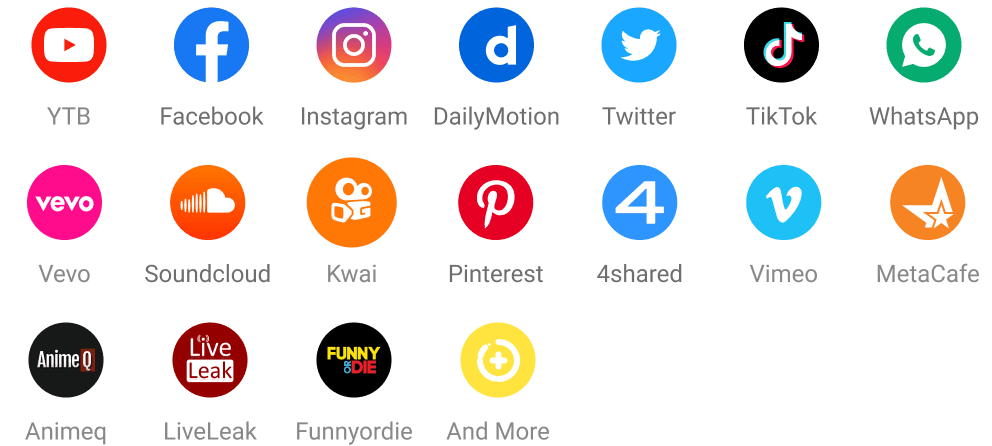
Snaptube Supported Online Sites
Snaptube integrates with numerous online websites, allowing users to download content from various platforms with ease.
- Twitter (X)
- WhatsApp (status videos)
- TikTok
- Kwai
- Dailymotion
- Soundcloud
- Vimeo
- Vine
- 4shared
- Tumblr
- LiveLeak
- Metacafe
- Animeq
- Funnyordie
- Voot
- Vuclip
- Pagalworld
- And more
Snaptube Online Downloader Features
- Various resolutions and formats for your downloads, including HD video and HQ music.
- Batch download multiple videos simultaneously. Fast and efficient.
- You can also download music from various platforms.
- Organize and manage downloaded files within the app.
- Watch your downloaded content without ads and interruptions.
- Share your downloads with others effortlessly with one click.
- Pause or resume downloads at any time and customize download speeds.
- You can set a password to encrypt downloaded content.
- Snaptube has a simple and easy-to-navigate interface.
- It also offers night mode for comfortable viewing at night.
Snaptube Original vs Snaptube Fake
Since Snaptube is not available on the Play Store, users can only download it from the Snaptube official website or trusted third-party APK stores. However, after the Snaptube website was taken down, many websites and apps claimed to be the real Snaptube. Here are a few things you can check to differentiate the original Snaptube app from a fake or modified version.
- The official Snaptube APK can be downloaded directly, while fake Snaptube websites usually go through multiple pop-up ads before downloading or redirecting to other unknown websites.
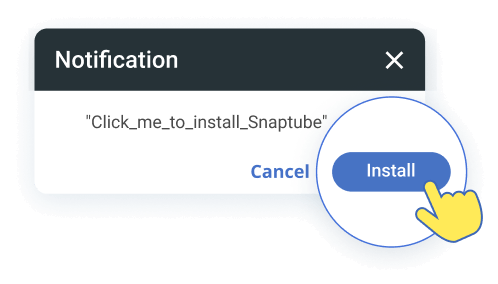
- The original Snaptube APK package name usually includes the words "snaptube" or "click_me_to_install_snaptube" and is provided by "com.premium.snaptube".
- The original Snaptube app is COMPLETELY FREE, no registration or premium plan required. However, fake Snaptube versions may offer a "premium" version that claims to include additional features not available in the official version.
Important: It is important to note that fake Snaptube apps may contain harmful malware, viruses, or adware that may compromise the security and privacy of your device. To download Snaptube securely on your phone, just click the download button below.